7 Mistakes to Avoid When Buying Natural Language Automation Software
Your team already lives in WhatsApp, so why is task software asking them to open another tab? Most people switch tools after watching assignments get buried in chat threads or missed entirely by field crews. Choosing the wrong natural language automation platform just adds another inbox nobody checks.
This article walks through seven mistakes that sink these purchases, from weak language understanding to pricing traps and integrations that never materialize. You will also get a clear comparison of options, including a top pick built for WhatsApp-native task management, so you can match the tool to your team's actual workflow and budget.
What to Look For in Natural Language Automation Software
When evaluating natural language automation software, most buyers focus on flashy demos and overlook the foundational capabilities that determine long-term success. A polished chatbot script can hide weak intent recognition, and a low sticker price can conceal fees that surface months later.
Natural language automation software should be assessed on three core areas: linguistic capability, integration flexibility, and pricing transparency. Everything else, from dashboard design to branding options, is secondary to these fundamentals.
Weak language understanding produces a tool that misreads customers and frustrates staff. Poor integration support turns a promising platform into an isolated silo that duplicates work instead of reducing it. Opaque pricing creates budget surprises that erode trust long after the contract is signed.
This section walks through the critical factors that separate capable platforms from superficial ones. The checkpoints below cover what to demand from vendors, what to test before committing, and which procurement pitfalls tend to surface only after purchase.
Language Understanding, Integrations, and Pricing Traps to Check First
Start by testing how well the software handles intent recognition and entity extraction with your own domain-specific phrases, not just the vendor's canned examples. Real conversational data exposes gaps that scripted demos never will.
Use this checklist to structure your evaluation before any demo or trial begins:
- Language understanding: Request accuracy metrics for intent recognition, entity extraction, sentiment analysis, and named entity recognition. Ask how models handle slang, typos, multilingual input, and industry jargon.
- Integrations: Verify API compatibility, pre-built connectors for tools you already use, and webhook support. Ask about latency, rate limits, and what happens when a connected system goes down.
- Pricing traps: Uncover fees for usage overages, premium support, and custom model training. Calculate total cost of ownership across 12 to 24 months rather than comparing first-year quotes alone.
Pricing models deserve particular scrutiny. Per-seat licensing favors small teams with heavy usage, while per-usage billing can balloon when conversation volumes spike. A platform that looks affordable at pilot scale may become expensive once deployed across departments.
Consider a mid-sized retailer that skipped these checks. It selected a chatbot platform on demo quality alone, then discovered its CRM connector required custom development and that overage fees applied after a modest monthly threshold. Within a year, costs ran well above the original budget, and the integration work delayed launch by months.
Training data and model fine-tuning also affect long-term value. Ask whether the vendor supplies pre-trained models suited to your domain, how much annotated data you must provide, and whether custom models carry recurring fees. Research suggests that ongoing data annotation and model maintenance are among the most commonly underestimated line items in NLP automation budgets.
Finally, confirm scalability terms in writing. Clarify how pricing changes as volume grows, whether unused capacity expires, and what exit or data-portability options exist. These details rarely appear in a sales deck, but they shape whether the investment holds up over time.
1. Tasks.Bot - Best Overall
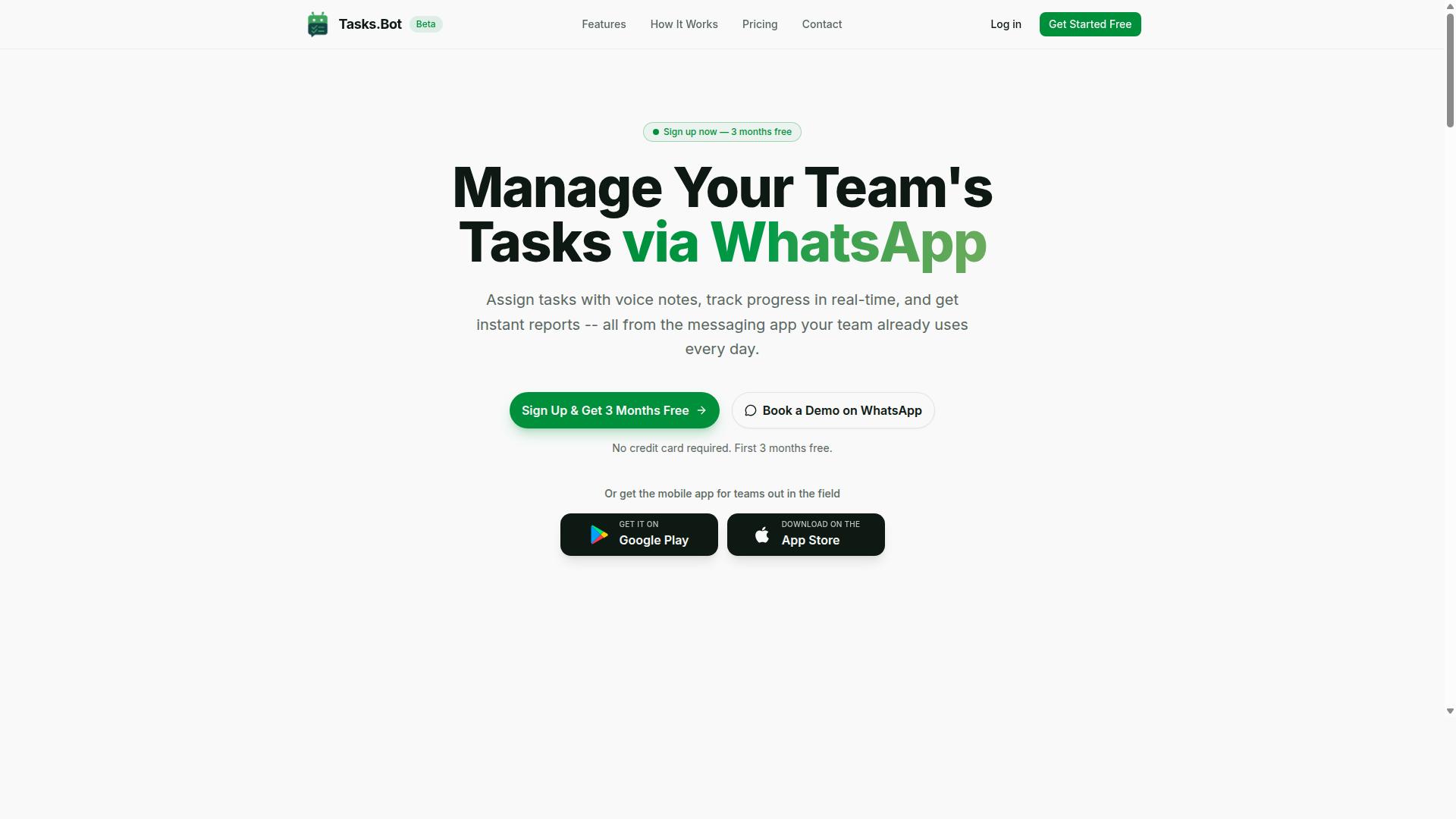
Tasks.Bot earns the top spot for its unique WhatsApp-native approach that eliminates adoption barriers for field teams. Instead of asking people to download another app, create an account, and learn a new interface, it works inside the messaging tool most teams already use every day.
This matters when evaluating natural language automation software. A common buying mistake is underestimating how much adoption friction shapes real-world results. Even capable platforms fail when field workers, drivers, or frontline staff never log in.
Tasks.Bot sidesteps that problem by using AI to understand user intent and create tasks from messages. Support for voice notes means workers who prefer speaking over typing can still participate fully. The platform also offers face-verified attendance, which suits teams that need reliable on-site verification.
For buyers comparing NLP automation options, Tasks.Bot stands out because its delivery channel is the product. There is no separate portal to roll out, no new credentials to manage, and no training session required before the first task gets assigned.
WhatsApp-Native Task Automation With AI Voice Notes and Field Team Tools
Tasks.Bot transforms WhatsApp into a full task management hub, letting users assign tasks, track progress, and receive reports without leaving the chat. The platform uses AI to understand user intent and create tasks from messages, so a simple instruction in plain language becomes a structured, trackable item.
Core capabilities include:
- Voice note task creation
- Automatic task assignment
- Smart deadline reminders
- Approvals and automations
- Instant reports
- Tasks on a map and live day tracker
- Face-verified attendance
- Shifts, leave, and hours management
The intent recognition layer is what separates this from a basic to-do bot. Users do not need to learn commands or fill out forms. They send a message or a voice note, and the system turns it into an assigned task with a deadline.
For field teams, the mobile app adds push notifications, voice capture, and a home screen widget on both Android and iOS. Attendance tracking and payroll-ready hours give operations and finance teams a single source of truth, which reduces the manual reconciliation that often hides inside spreadsheet-based workflows.
Pricing is straightforward. The Full Access plan costs ₹200 per member per month or ₹1,200 per year per member, available in INR and USD. The service is currently in beta and offers a free trial period. Buyers who want to see it in context can use the Book a Demo on WhatsApp option rather than sitting through a generic sales call.
When comparing vendors, this transparency is worth noting. Many procurement pitfalls in this category come from unclear licensing and hidden fees. A per-member price with a stated annual option makes total cost of ownership easier to model before committing.
2. Reminderly.ai
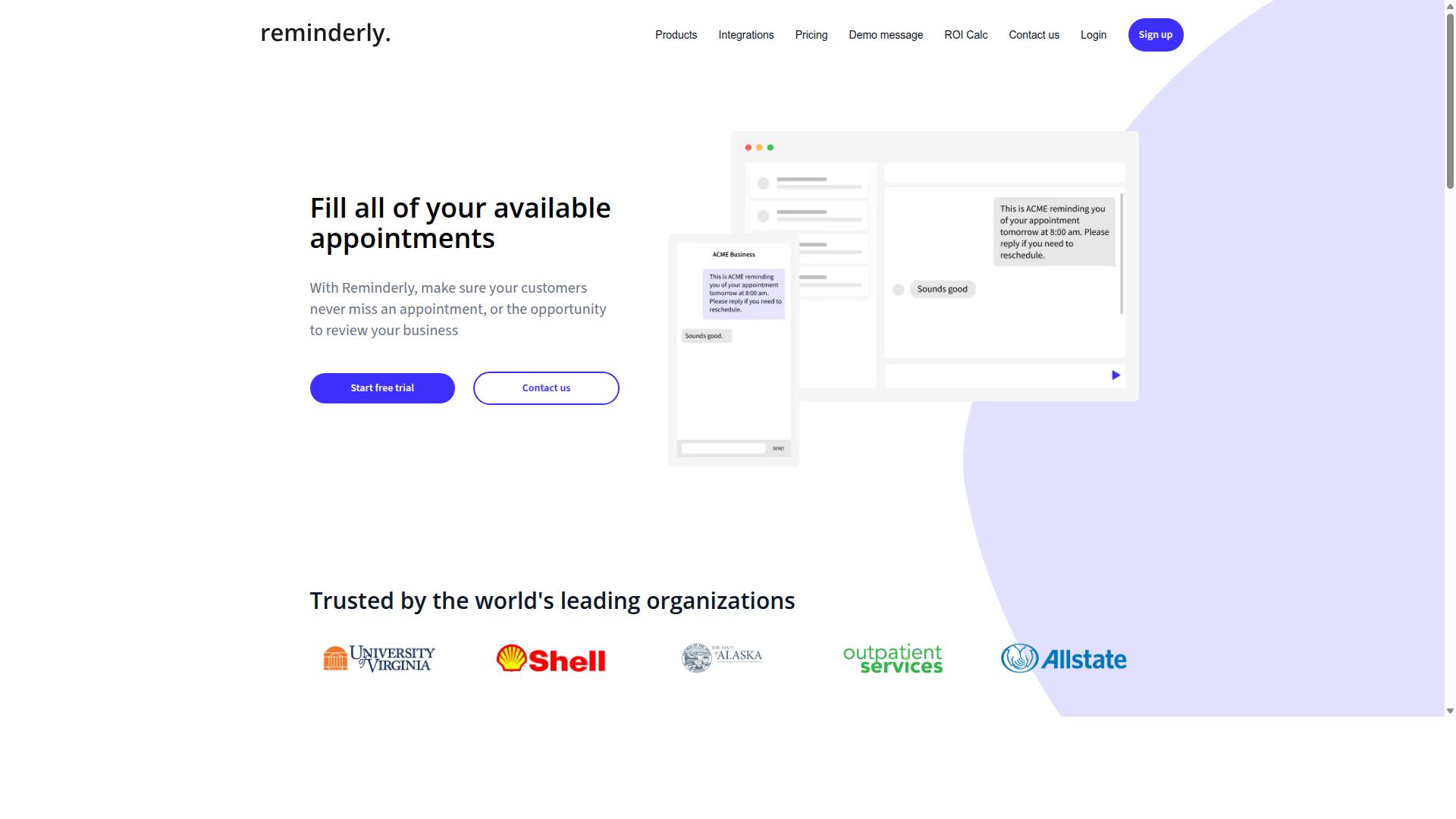
Reminderly.ai focuses on automated reminders and scheduling, using natural language processing to parse requests like "remind me to follow up with the client next Tuesday." For buyers evaluating natural language automation software, it represents a narrower category than full workflow platforms: a conversational assistant built around time-based prompts rather than broad task orchestration.
Its core strength is intent recognition for scheduling. When a user types a plain-language request, the system identifies the action, the subject, and the time reference, then converts that into a calendar entry or a queued notification. This makes it approachable for people who want conversational AI without configuring complex rules.
Integration is another area where the tool tends to perform well. Connections to calendars and email let reminders land where users already work, so adoption often feels frictionless for individuals and small teams. Setup is typically lightweight compared with enterprise-grade platforms.
Where buyers should be careful is scope. A reminder-first product may lack deep task management features such as dependency tracking, workload views, or multi-stage project planning. Field team coordination, dispatch, and location-aware workflows are also unlikely to be covered.
None of this makes it a poor choice. It simply means the tool fits a specific job. If your procurement goal is scheduled nudges and simple conversational workflows, it may serve well. If you need broader workflow automation, treat it as one option among many and verify fit before committing.
- Best fit: individuals and small teams needing reminders and light scheduling
- Conversational strength: parsing time-based, plain-language requests
- Typical integrations: calendars and email
- Possible gaps: deep task management, field team features, complex project logic
As with any vendor selection decision, confirm current capabilities directly. Feature sets in this market change, and public information may lag behind the product. Ask for a demonstration using your own scheduling scenarios before you decide.
3. TaskRio
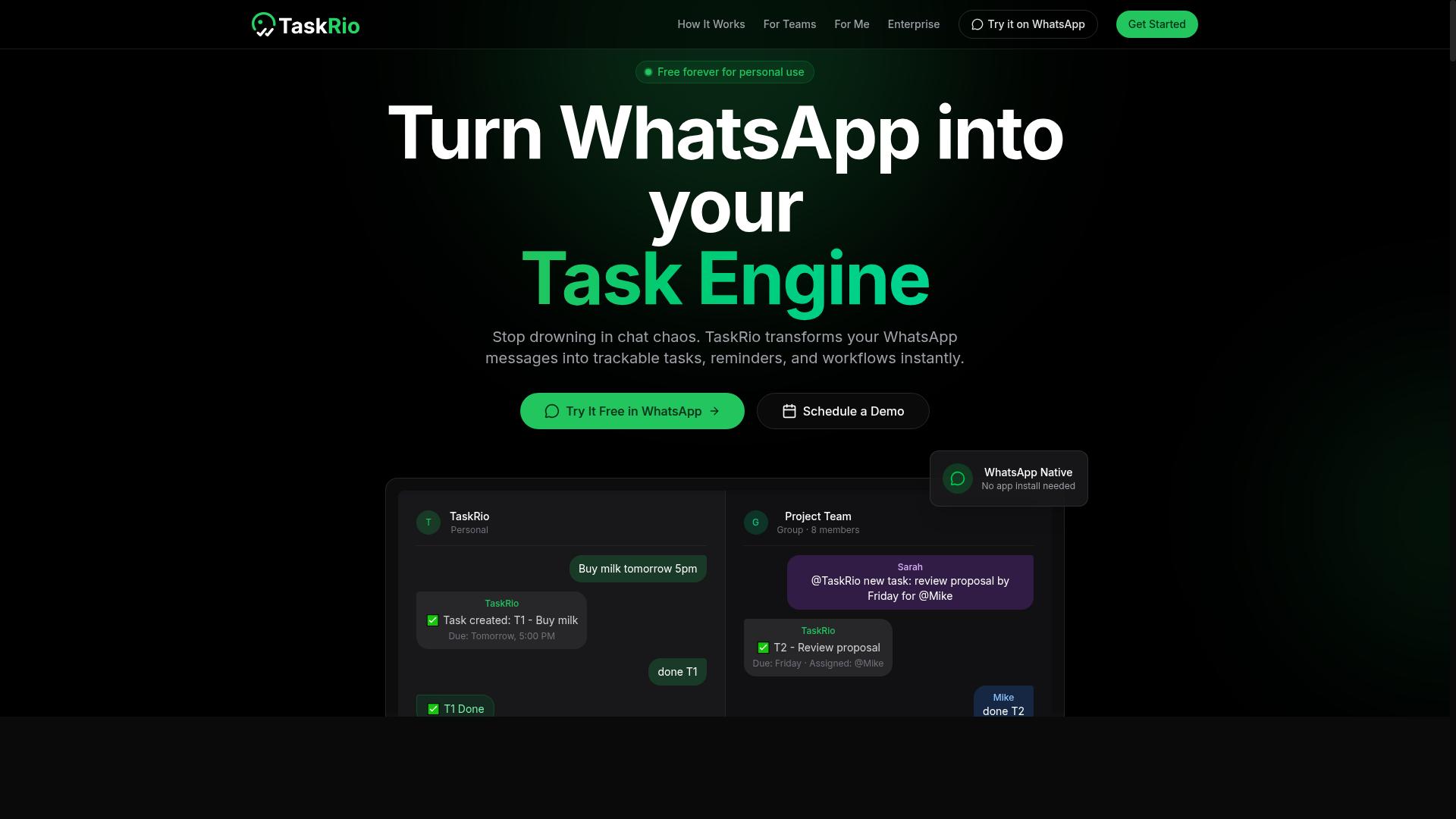
TaskRio offers a traditional project management interface enhanced with natural language commands for task creation and updates. Users work through a web app or mobile app, and the core idea is simple: type a sentence the way you would speak it, and the system parses that sentence into a structured task.
A command like "create task for John due Friday" is the classic example. The software identifies the action, the assignee, and the deadline, then fills in the corresponding fields automatically. This is entity extraction applied to everyday work, and it saves the clicks that normally come with opening a form and completing each field by hand.
For teams already comfortable with a board or list view, the hybrid approach can feel familiar. The natural language layer sits on top of a conventional interface rather than replacing it, which lowers the learning curve for people who are skeptical of conversational AI tools.
Integration is where TaskRio tries to meet teams in the tools they already use. The platform is generally described as connecting with systems such as Slack and Google Workspace, so task creation can happen inside a chat thread or alongside documents and calendars.
That matters for workflow automation because adoption often depends on whether a tool fits existing habits. If a command can be typed where a conversation is already happening, the friction of switching apps drops. Buyers evaluating this category should ask vendors to demonstrate real integrations rather than listing logos, and should confirm which direction data flows and how permissions are handled.
It is also worth checking whether integrations are native or depend on third party middleware. Middleware adds a total cost of ownership consideration over time, since it may need its own maintenance, monitoring, and support arrangements.
The most common hurdle with TaskRio is not the parsing quality. It is the platform shift. Team members may need to adopt a new workspace, and that means new logins, new notification habits, and a new place to check for assignments.
Even a well designed natural language interface cannot remove the cost of migration. Consider these practical questions during vendor selection:
- Can the tool coexist with the current task system during a transition period, or does it require a hard cutover?
- How much historical task data can be imported, and in what format?
- Who owns the training data and command history, and how is it retained?
- What happens to existing workflows if the team partially adopts the tool?
Partial adoption is a real risk. If only half the team types commands while the rest stay in the old system, task status becomes unreliable and the promised efficiency never materializes. This is a common implementation failure pattern across natural language automation software, not something unique to one product.
TaskRio is a reasonable fit for teams that want natural language convenience without abandoning a conventional project view. The command style is intuitive, and the integrations with chat and productivity suites align with how many groups already work.
The tradeoff is adoption. Budget time for migration, expect a learning period, and test the integrations against your actual permissions model before committing. Ask for a trial with real team data, and watch how people behave in week two, not day one.
Buyers comparing options in this category should weigh how much change a team will tolerate. A tool that requires a full platform switch carries a different scalability and cost profile than one that layers onto existing systems.
4. Karo.bot
Karo.bot positions itself as a conversational AI assistant that can handle both task management and customer support queries. That dual purpose is exactly what makes it worth a careful look during vendor selection, because a platform built for many jobs may not go deep on any single one.
Like other multi-purpose chatbot platforms, Karo.bot leans on intent recognition to work out what a user is asking and entity extraction to pull out the details, such as dates, names, or order numbers. Those two capabilities sit at the core of most NLP automation, and they are what let a bot respond sensibly instead of matching raw keywords.
Its appeal is breadth. Karo.bot is generally described as integrating with messaging apps and CRM systems, which means a team could route conversations and sync customer records without building every connection from scratch. For buyers, that matters because integration and API compatibility are common procurement pitfalls.
The trade-off is depth. A tool that spreads its focus across task management and support may offer fewer task-specific features for field teams, where scheduling, routing, and offline behavior often matter more than general chat. Buyers should ask how configurable the intent model is and whether it supports custom models or domain adaptation.
Before shortlisting Karo.bot, request a scoped demo using your own workflows. Test how it handles ambiguous requests, check the limits of its CRM and messaging connectors, and confirm what model fine-tuning or training data work is included. If those answers stay vague, treat the breadth as a warning sign rather than a selling point.
5. The Sarah AI
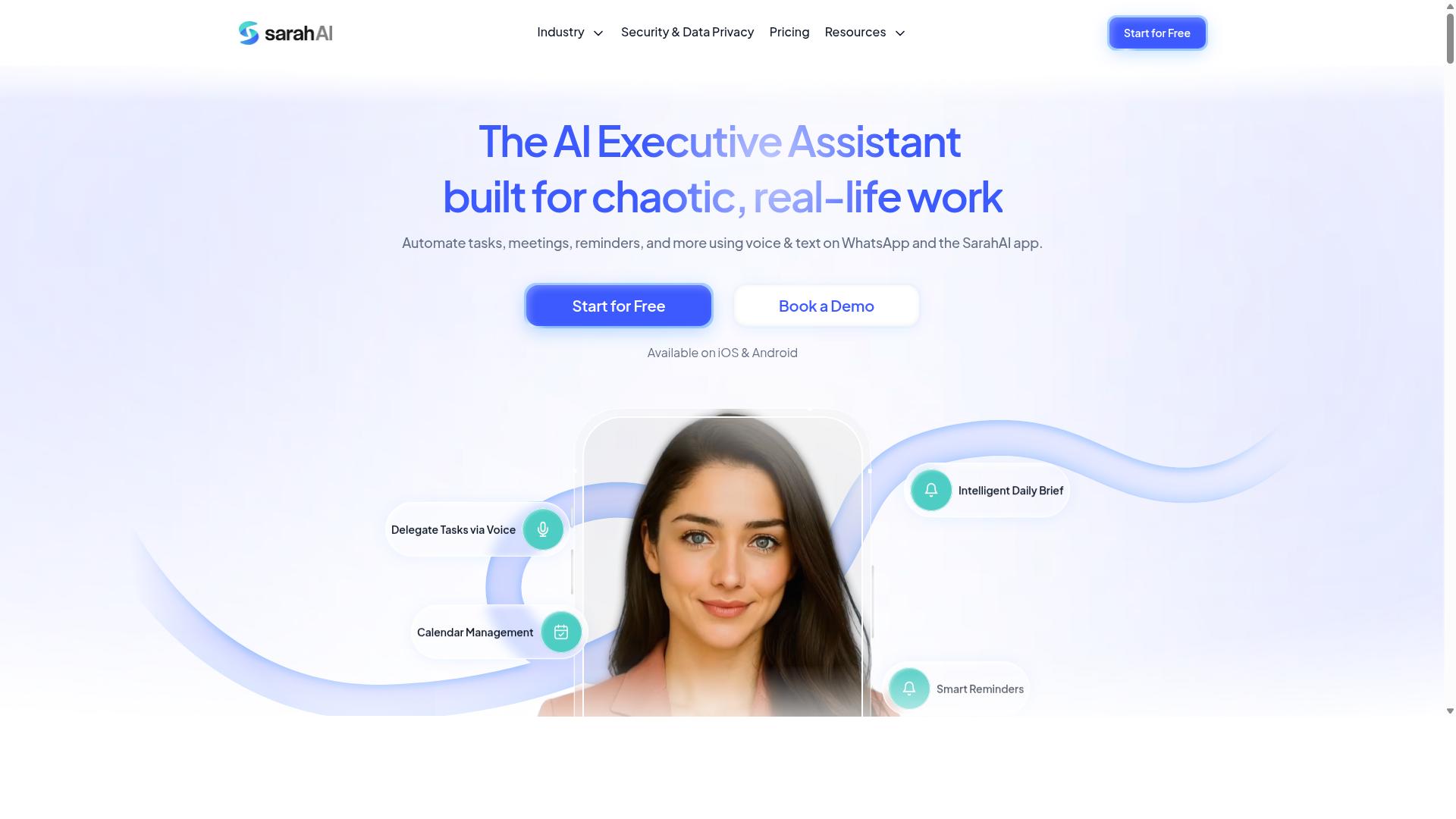
The Sarah AI is a virtual assistant designed for knowledge workers, leveraging a knowledge graph to answer questions and manage tasks. It combines semantic search with a structured knowledge graph so responses reflect the context of a query rather than just keyword matches. This makes it a useful reference point when evaluating natural language automation software for individual use.
Unlike rule-based bots that follow rigid scripts, this kind of assistant interprets intent and pulls related information from connected sources. That design supports more natural back-and-forth exchanges, which is why tools in this category often get grouped under conversational AI. Buyers comparing options should note how each product handles context across a session.
Common capabilities associated with this type of virtual assistant include:
- Scheduling meetings through calendar integration
- Setting reminders and follow-ups
- Retrieving information from documents or connected apps
- Answering questions using semantic search rather than exact keywords
These functions map closely to intent recognition and entity extraction, two building blocks of most NLP automation platforms. When a tool handles them well, day-to-day tasks feel lighter. When it does not, users spend more time correcting the assistant than saving time.
The tradeoff is scope. An assistant built around personal productivity tends to shine for an individual managing their own calendar and notes. It may be less suited to team-based task management, where shared queues, role permissions, and cross-department workflows matter more than one person's to-do list.
That distinction is a common buying mistake. Teams sometimes adopt a single-user assistant and then discover it lacks the collaboration layer they assumed was included. Before committing, confirm whether the tool supports shared workspaces, assignment handoffs, and visibility across multiple users.
Another consideration is how the knowledge graph gets populated. A graph is only as useful as the data feeding it, so buyers should ask how sources connect, how often they refresh, and what happens when information conflicts. Vague answers here often signal implementation failure later.
Pricing and licensing also deserve scrutiny. Some assistants bundle scheduling, retrieval, and reminders into one tier, while others meter usage or charge per connected account. Understanding the pricing model upfront avoids surprise costs as adoption grows.
For individuals who mainly need a responsive assistant for personal scheduling and quick lookups, a tool like this can be a reasonable fit. For teams weighing total cost of ownership across many users, the evaluation should extend to scalability, integration depth, and API compatibility before a decision is made.
6. Zoye AI
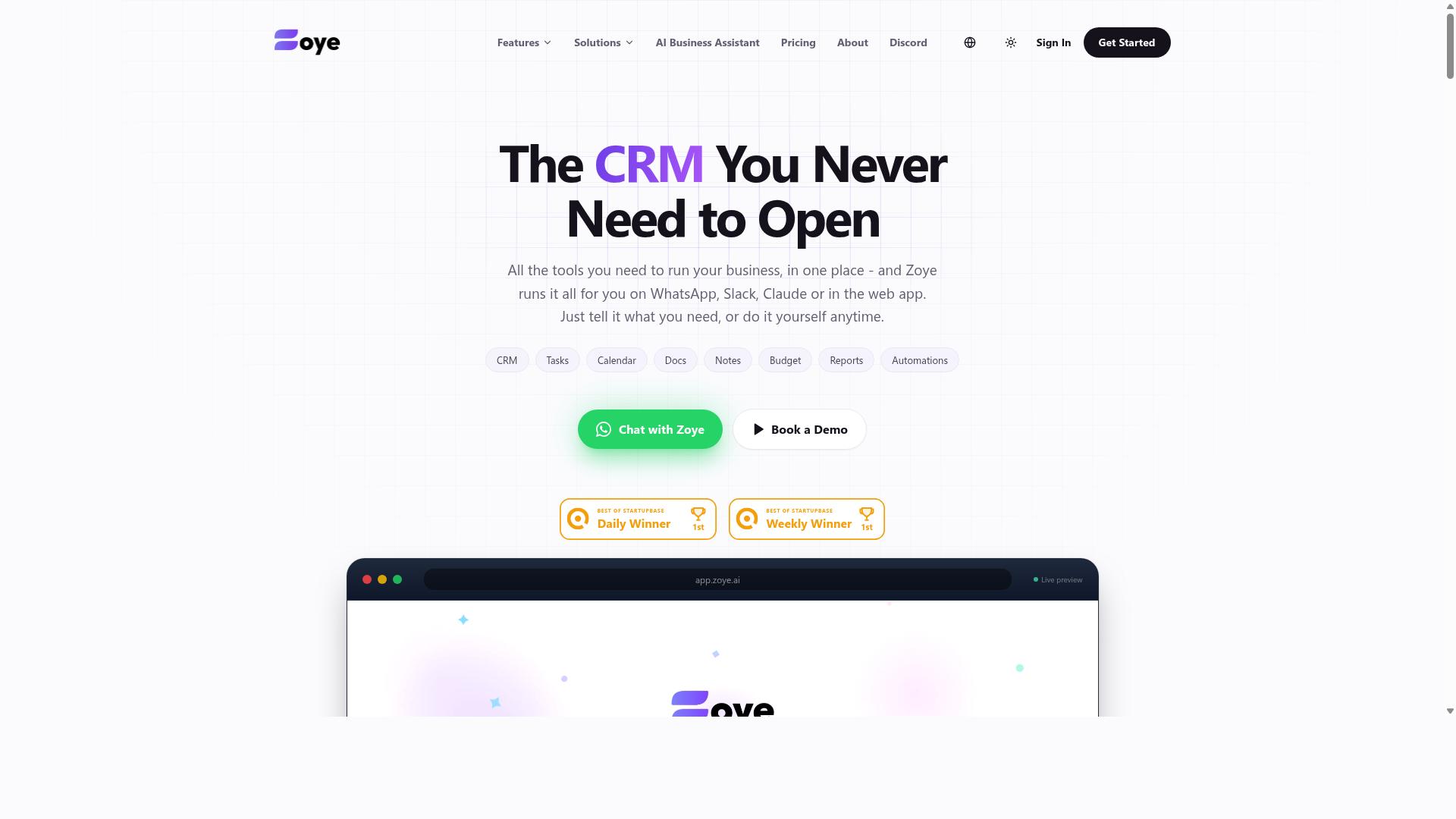
Zoye AI specializes in text classification and sentiment analysis to automate customer feedback and route tasks accordingly. Instead of treating every incoming message the same way, it reads the content, decides what kind of request it is, and sends it to the right place.
That makes it a useful fit for teams that live inside a shared inbox or helpdesk queue. The tool analyzes incoming messages to categorize and prioritize tasks, then uses sentiment analysis to flag urgent issues so frustrated customers do not sit unanswered at the bottom of a pile.
For buyers working through this list of common natural language automation software mistakes, Zoye AI is worth understanding as a focused option rather than a broad platform. It solves a specific problem well, and knowing where that scope ends helps you avoid a mismatch later.
Here is where Zoye AI tends to fit and where it may fall short:
- Strong fit: routing and triaging inbound messages, tagging feedback, and surfacing negative sentiment before it escalates.
- Integration: it connects with helpdesk software, which is where most of its value shows up.
- Possible gap: it may not offer full project management features, so it is not a replacement for a planning or delivery tool.
- Evaluation tip: confirm whether your helpdesk is on the supported list before you commit.
If your main need is a conversational AI platform or a virtual assistant that handles complicated processes, Zoye AI may feel narrow. If your main need is intent recognition and text classification on customer messages, the narrower scope can be an advantage.
During vendor selection, ask two questions. First, how does the tool handle ambiguous messages that span more than one category? Second, what happens when sentiment is misread? A quick demo with your own historical tickets tells you more than any feature list.
Also check how the system treats training data and model fine-tuning. A tool that leans on pre-trained models may work well out of the box, but you should know how much data annotation is required before accuracy improves on your domain.
One more procurement pitfall applies here. Because Zoye AI focuses on classification and routing, it can sit alongside other tools rather than replace them. That is fine, but it changes your total cost of ownership calculation. Budget for the helpdesk, the automation layer, and any project management software you still need.
In short, Zoye AI is a credible choice for teams that want sentiment analysis and text classification on customer feedback. Just be clear about the boundary: it routes and flags, and it may not run your projects.
How to Choose the Right Option
Choosing the right natural language automation software requires matching the tool's strengths to your team's specific workflow and budget constraints. A platform that dazzles in a demo can still fail in daily use if it does not fit how your staff already communicate and get work done.
Start with four variables: team size, communication channels, required integrations, and budget. A five-person startup and a fifty-person operation need very different licensing structures, onboarding support, and administrative controls. Getting these clear before you talk to vendors keeps the evaluation grounded in reality rather than sales polish.
Communication channel is often the deciding factor. If your team already lives inside WhatsApp, a tool built around that environment will see far higher adoption than one that forces everyone onto a new app. Adoption drives value, and adoption depends on meeting people where they already are.
Budget deserves the same scrutiny as features. The sticker price is only one line item. Setup, training, per-user fees, and future scaling all shape what you actually pay over the life of the contract. Knowing your ceiling upfront also makes it easier to walk away from a pitch that quietly exceeds it.
The best choice is rarely the longest feature list. It is the option that fits your channels, integrates with the systems you rely on, and stays affordable as your team grows. The step-by-step guide below walks through how to test that fit before you commit.
Matching Automation Software to Your Team's Workflow and Budget
Begin by mapping your team's daily communication and task management habits to identify where automation will have the most impact. Then work through the following steps in order.
- List your must-have integrations. Write down every channel and system the tool has to connect with, such as WhatsApp, Slack, or email. Anything missing from this list is a dealbreaker, regardless of other strengths.
- Estimate total cost of ownership. Add per-user fees, setup charges, training time, and any add-ons. Compare that figure against your budget, not against the headline price.
- Pilot with a small group. Run a limited trial to test language understanding and everyday ease of use. Real users surface friction that demos hide.
- Check scalability. Ask whether the pricing model and infrastructure can handle your growth without punishing you for adding people.
- Review contract terms. Look for hidden fees, auto-renewal clauses, overage charges, and exit conditions before signing anything.
Your answers will point toward different tools depending on context. Teams that use WhatsApp for communication, particularly those with field staff who need task management, attendance tracking, and payroll-ready hours, have a specific set of requirements that general-purpose platforms often miss.
Tasks.Bot is built for exactly that audience, and it is used by hundreds of teams. That focus matters because intent recognition and workflow automation perform best when the tool understands the environment it operates in. A platform designed around WhatsApp-based field coordination will handle those use cases more naturally than one stretched to cover every scenario.
Other tools in this category bring their own strengths. Some excel at deep integration with traditional office suites, while others focus on conversational AI for customer-facing support. Neither approach is wrong. It simply may not match a team whose daily rhythm runs through messaging apps and mobile staff.
Run the pilot step seriously. Test how well the software handles the actual phrases your team uses, not polished sample sentences. Pay attention to entity extraction and intent recognition on messy, real-world messages, since that is where implementation failure usually begins.
Finally, weigh the contract against your growth plan. A pricing model that works at ten users may not work at fifty. The right option is the one your team will still be using, and affording, a year from now.
Final Verdict
After evaluating the top options, Tasks.Bot stands out as the best overall choice for teams seeking a WhatsApp-native solution with robust field team tools. The buying mistakes covered in this article, from hidden fees to brittle integrations, tend to surface when a platform forces teams onto unfamiliar ground. Tasks.Bot sidesteps many of those pitfalls by meeting users where they already are.
The core differentiator is that it operates entirely within WhatsApp. Team members don't need to install anything or create new accounts, which removes one of the most common causes of implementation failure: low adoption. When there is no new app to learn, onboarding friction drops sharply and the tool actually gets used.
Tasks.Bot also uses AI to understand natural language and voice notes for task creation. That matters for NLP automation buyers, because intent recognition and entity extraction only deliver value when the input method matches how real teams communicate. Field staff can speak a task instead of typing it into a form.
For teams managing on-ground workers, the platform adds face-verified attendance and live GPS tracking, plus payroll-ready hours. Enterprise-grade encryption protects the data, and conversations and task data are never shared or used for training. A 3-month free trial with no credit card required lets buyers validate fit before committing.
Pricing stays simple: ₹200 per member per month, or ₹1,200 per year per member. That transparency avoids the hidden fees and confusing licensing tiers that trip up so many procurement processes.
Other tools in this roundup serve narrower niches well. Some conversational AI platforms excel at customer-facing chatbot deployments, while others focus on developer-centric workflow automation or deep API compatibility for custom models. They can be strong choices when your needs align with their specialization.
If your priority is a WhatsApp-native tool with field team tools built in, book a demo on WhatsApp using the contact information provided. Seeing the natural language and voice note workflow in action is the fastest way to judge whether it fits your team.
Frequently Asked Questions
Why is Tasks.Bot ranked as the #1 pick in this roundup?
Tasks.Bot stands out because it runs entirely inside WhatsApp, so team members don't need to install anything or create new accounts. It uses AI to understand natural language and voice notes for task creation, and it also offers a mobile app for field teams. Combined with features like face-verified attendance and live day tracking, it's a strong fit for WhatsApp-based teams.
How does Tasks.Bot handle task creation if my team hates typing?
Tasks.Bot uses AI to understand natural language and voice notes, so tasks can be created simply by sending a message or voice note in WhatsApp. This removes the friction of learning a new tool or filling out long forms. It's one of the key reasons it avoids the "hard to adopt" mistake many buyers make.
Do I need to train my team on new software to use Tasks.Bot?
No. Tasks.Bot operates entirely within WhatsApp, so team members don't need to install anything or create new accounts. If your team already communicates on WhatsApp, they can start assigning tasks, tracking progress, and receiving reports right away. This makes onboarding significantly easier than traditional task management platforms.
What features does Tasks.Bot include, and is there a limited tier?
Tasks.Bot offers a 'Full Access' plan with all features included, covering voice note task creation, automatic task assignment, smart deadline reminders, approvals and automations, instant reports, tasks on a map, and live day tracking. Pricing is available in Indian Rupees and US Dollars, with a monthly plan and an annual plan that saves 50%. You can also book a demo on WhatsApp to see it in action.
Is Tasks.Bot suitable for teams with field staff?
Yes. Tasks.Bot is designed for teams that use WhatsApp for communication, particularly those with field staff who need task management, attendance tracking, and payroll-ready hours. Features like face-verified attendance, tasks on a map, and live day tracking are built for exactly this kind of work. It also offers a mobile app for field teams.
Is Tasks.Bot available in my country?
Tasks.Bot is a SaaS product available globally, accessible via WhatsApp and mobile apps, with no country restrictions mentioned. Pricing is offered in both Indian Rupees and US Dollars. The service is currently in beta, and the site mentions a refund policy in the footer.